If your students are getting bored with Gimkit, you are not alone. Many US teachers love its game-show style but run into limits with the free version or want different game formats, better reporting, or more control.
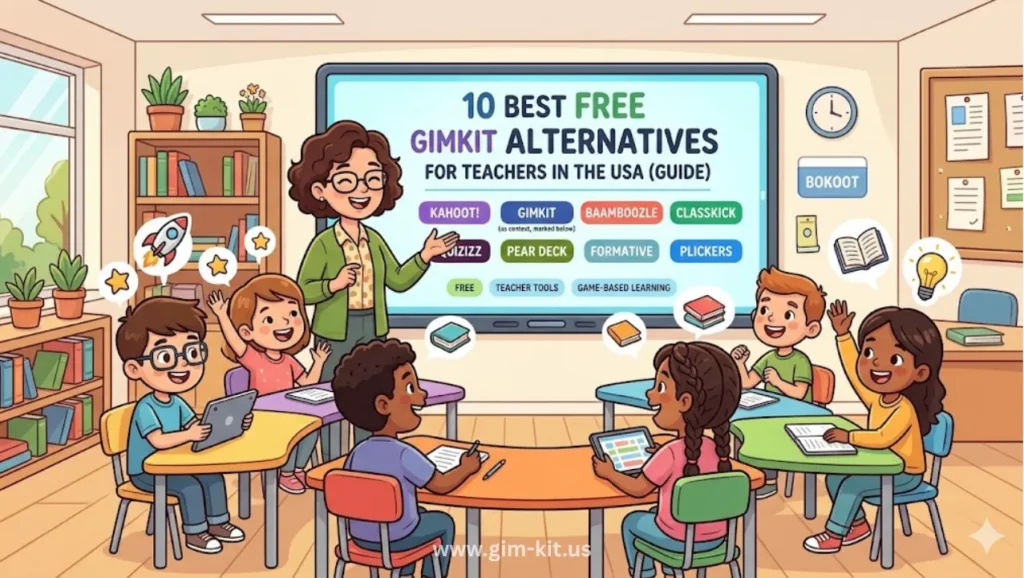
In 2026, there are several free tools that offer unlimited students, strong quiz features, and creative game modes without forcing you into a paid plan. This guide walks you through 10 of the best free Gimkit alternatives, how they compare, and how to choose the right one for your class.
Why People Are Looking for Gimkit Alternatives
Teachers in the USA are searching for Gimkit alternatives mainly because of pricing and limitations in the free plan. In 2026, Gimkit’s free version works more like a trial than a full classroom solution.
Key pain points:
- Free plan limits: Rotating game modes and other restrictions make it hard to rely on for daily use.
- Student caps or practical limits for larger classes (especially at middle and high school level).
- Need for richer question types, homework modes, and better data without paying per teacher.
- Desire for tools that fit lower bandwidth environments or mixed in‑person/remote teaching.
- Wanting variety: students get used to one game and engagement drops if you never change platforms.
Quick Comparison – Free Use in 2026
Main tools covered in this guide:
- Blooket
- Kahoot!
- Quizizz
- AhaSlides
- Quizlet Live
- Socrative
- Formative (now often branded as Formative/GoFormative)
- TriviaMaker
- Nearpod (free tier)
- Google Forms + add‑ons (simple game-style quizzes)
4. Top 10 Free Gimkit Alternatives (USA, 2026)
4.1 Blooket
Features
Blooket offers multiple arcade-style game modes (tower defense, battle royale, etc.) powered by shared question sets. Teachers can host live games or assign homework-style sets students play at their own pace.
Pros
- Unlimited students on the free plan, which is rare compared with other tools.
- All major game modes and question banks available for free use.
- Very engaging visuals that feel like real games for younger learners.
Cons
- Reporting and deeper analytics require a paid upgrade.
- Some modes can distract from content if not framed carefully.
Best use case
Best for elementary and middle school teachers in the USA who want “instant fun” review games with no student cap on the free plan.
4.2 Kahoot!
Features
Kahoot! is one of the original classroom quiz‑game platforms, built around live multiple-choice questions projected at the front while students answer on devices. It now also supports student-paced modes and homework assignments in many plans.
Pros
- Simple and fast to set up a quiz from scratch or using public templates.
- Great for whole-class energy, sound effects, and time‑pressure competition.
- Works well on large displays and interactive whiteboards used in US classrooms.
Cons
- Advanced question types and deeper reports sit behind paid tiers.
- Timer and speed focus can stress some students or disadvantage slower readers.
Best use case
Best for medium to large classes (20–35 students) when you want a quick, lively knowledge check at the start or end of a lesson.
4.3 Quizizz
Features
Quizizz offers both live and homework modes, with students seeing questions directly on their own devices and progressing at their own pace. It supports memes, power‑ups, and detailed reports, even on the free tier.
Pros
- Strong student‑paced homework and asynchronous practice.
- Rich question types and large public question library.
- Good reporting for teachers tracking item‑level performance.
Cons
- Interface can feel busy for very young students.
- Some premium content is gated behind paid school or teacher licenses.
Best use case
Ideal for US teachers who need homework assignments, independent practice, or mixed in‑person and remote classes.
AhaSlides
Features
AhaSlides combines live quizzes, polls, word clouds, and Q&A in a slide‑based presentation format. It is often used for training and meetings but includes features that fit classroom teaching well.
Pros
- Combines presentations and interactive questions in one platform.
- Supports real‑time and student‑paced participation.
- More content types than just multiple choice (open‑ended, scales, etc.).
Cons
- Setup is slightly longer if you are building full slide decks.
- Free tier usually has audience or slide limits that matter for large schools.
Best use case
Great for high school teachers and professional development sessions where you want slides, polls, and quizzes in a single experience.
Quizlet Live
Features
Quizlet Live turns Quizlet study sets into live team games focused on matching terms and definitions. Students collaborate to find correct answers, which supports deeper processing of vocabulary.
Pros
- Excellent for vocabulary, languages, and key term review.
- Built on Quizlet sets that students can also use for flashcards and self‑study.
- Team-based play encourages collaboration, not just competition.
Cons
- Limited to term/definition style content, not full test‑like items.
- Requires neatly structured sets to work well.
Best use case
Best for language, science, and social studies teachers who already use Quizlet in US schools and want quick, cooperative vocab games.
4.6 Socrative
Features
Socrative focuses on formative assessment with quizzes, exit tickets, and quick questions. It offers real-time data on student understanding and works across devices.
Pros
- Strong assessment‑first design with detailed reports.
- Good for short checks for understanding during a lesson.
- Supports a variety of question types beyond simple multiple choice.
Cons
- Less “game‑like” than Gimkit or Blooket, so excitement may be lower.
- Free tier can limit room counts and class management features.
Best use case
Ideal for teachers who value data and standards alignment more than flashy visuals, especially in middle and high school.
4.7 Formative (GoFormative)
Features
Formative lets teachers build standards‑aligned assignments with varied question types and live feedback. It can be used for both in‑class checks and longer assessments.
Pros
- Rich question types, including show‑your‑work formats.
- Real‑time tracking of student responses and partial credit.
- Designed for formative assessment, not just games.
Cons
Longer setup time to build robust assignments.
- Some advanced analytics and integrations are paid features.
Best use case
Best for standards‑driven US districts needing more formal assessments, especially in math, ELA, and science.
4.8 TriviaMaker
Features
TriviaMaker lets you create TV-style game shows (grid, list, trivia, etc.) that resemble popular formats like Jeopardy. It has a classroom‑friendly free tier and is often recommended as a direct Gimkit alternative.
Pros
- Familiar game show formats students instantly recognize.
- Free plan supports core game types and typical classroom sizes.
- Good for review days, test prep, or school events.
Cons
- Less built‑in question content than mass‑market quiz libraries.
- Assessment data is lighter than in tools designed for grading.
Best use case
Great for US teachers who want a direct “game show” feeling without paying for Gimkit Pro.
4.9 Nearpod (Free Tier)
Features
Nearpod is an interactive lesson platform with slides, videos, VR, and embedded questions. The free tier allows teachers to create and share basic interactive lessons and quizzes.
Pros
- Combines content delivery and interaction in one package.
- Supports both live lessons and student-paced homework.
- Large library of pre‑made standards‑aligned lessons (some free).
Cons
- Free storage and lesson limits can be tight.
- More complex interface than simple quiz‑only tools.
Best use case
Best for 1:1 device classrooms where you want to transform slide lectures into interactive sessions.
4.10 Google Forms + Add‑ons
Features
Google Forms lets you build auto‑graded quizzes with multiple-choice and short answer items. It is widely used in USA schools through Google Workspace for Education.
Pros
- Completely free and already deployed in many districts.
- Very reliable even on lower bandwidth connections.
- Integrates well with Google Classroom for grading and feedback.
Cons
- Minimal gamification or visual excitement.
- Requires extra tools or manual work to make it feel like a “game.”
Best use case
Ideal when internet is slow, devices are mixed, or your district is strict about approved tools.
How to Choose the Right Tool
When choosing a Gimkit alternative, match the platform to your class size, subject, and internet conditions.
- Class size
- Small classes (under 15): Almost any tool works; consider more collaborative options like Quizlet Live or AhaSlides.
- Medium–large classes (20–35): Blooket, Kahoot!, and Quizizz handle larger groups smoothly on the free tier.
- Very large assemblies: Kahoot! and AhaSlides are proven for auditorium‑style events.
- Subject area
- Vocabulary-heavy (ELA, languages, biology): Quizlet Live, Blooket, and Quizizz are strong choices.
- Math and problem‑solving: Formative, Socrative, and Quizizz support open responses and step‑by‑step work.
- Content review and test prep: TriviaMaker, Kahoot!, and Blooket make review days feel like game shows.
- Internet speed and devices
- Low bandwidth: Google Forms, Socrative, and simple Quizizz modes are more forgiving.
- Mixed devices (phones, Chromebooks, iPads): Kahoot!, Blooket, and Gimkit‑style tools run in browsers without installs.
- Unreliable connections: Prefer tools with homework/offline‑friendly modes so students can retry from home.
Pro Tips: Keeping Students Engaged
To keep students engaged, the platform matters less than your routine and game design. A few strategic tricks can greatly extend the novelty of any Gimkit alternative.
How to keep students engaged
- Rotate platforms: Use Blooket one week, Kahoot! the next, then Quizizz or TriviaMaker so no single game feels overused.
- Short sessions: Run 5–10 minute games instead of dragging one activity across an entire period.
- Mix competition and collaboration: Alternate solo games with team modes (Quizlet Live, AhaSlides teams, group Kahoots).
- Tie points to learning goals: Offer small classroom rewards for improvement or accuracy, not just winning.
Gamification tricks
- Use power-ups and “money” carefully so they support answering correctly rather than random guessing.
- Let students submit their own questions (many platforms support crowdsourced question banks or imports).
- Reveal correct answers with quick mini‑explanations after each question to reinforce learning.
- Run “rematch” games with modified questions based on the class’s weak areas from the previous report.
FAQs
Is Gimkit free?
Gimkit has a free plan, but in 2026 it is heavily limited, with rotating game modes and features that make it feel more like a trial for occasional use. Most US teachers who use it regularly upgrade to Gimkit Pro, which runs around 60 USD per year in recent pricing.
How to join Gimkit live?
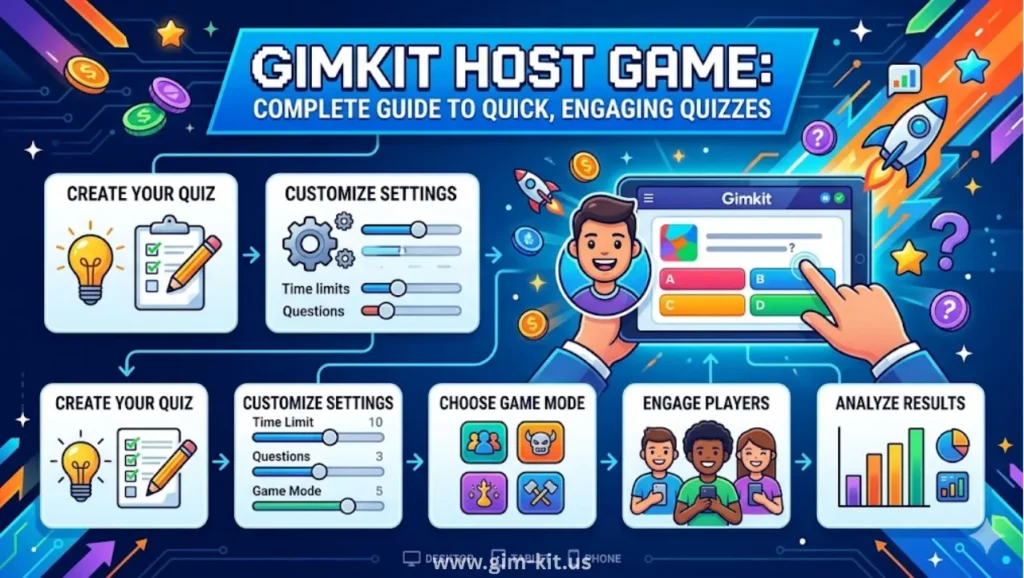
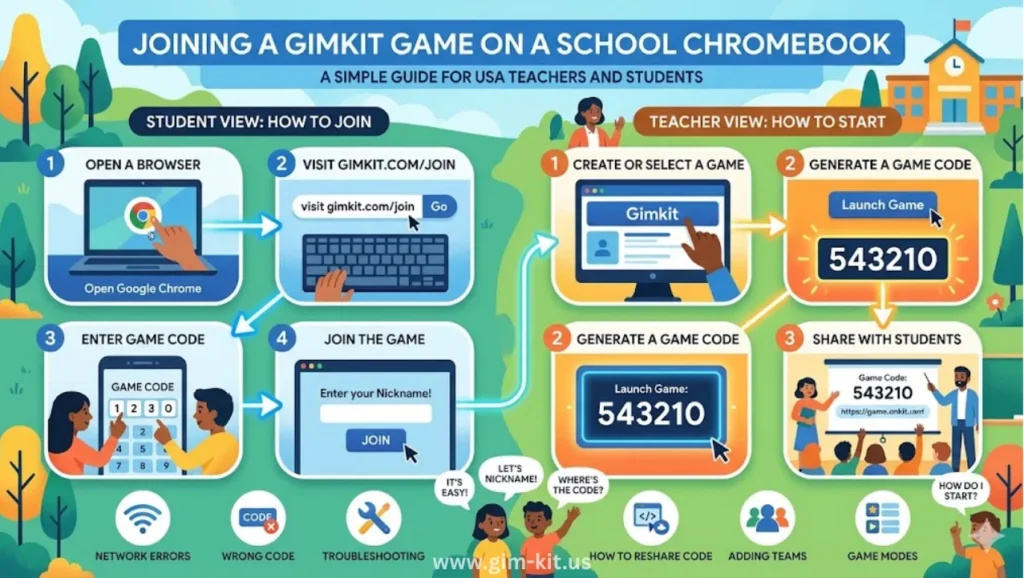
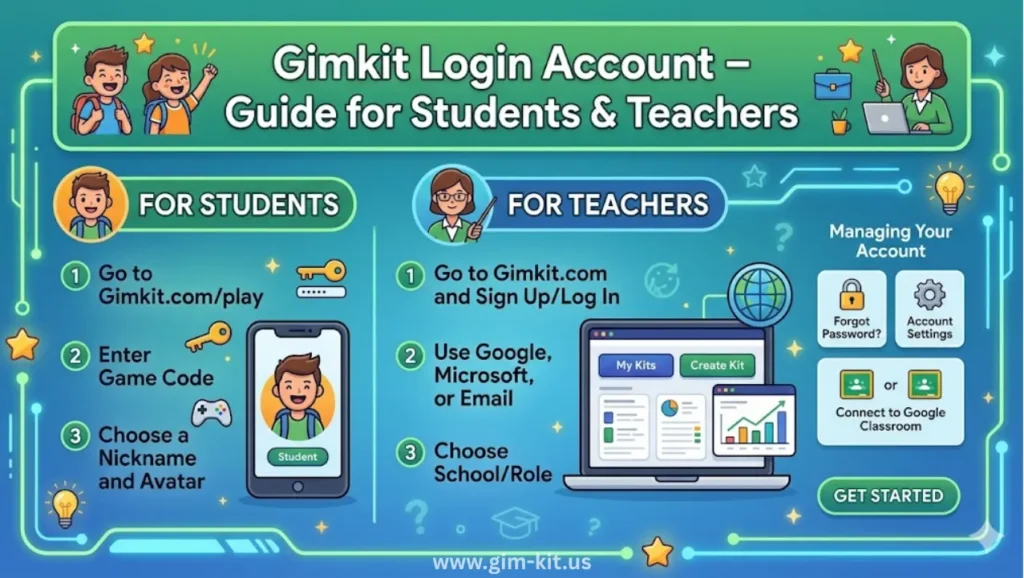
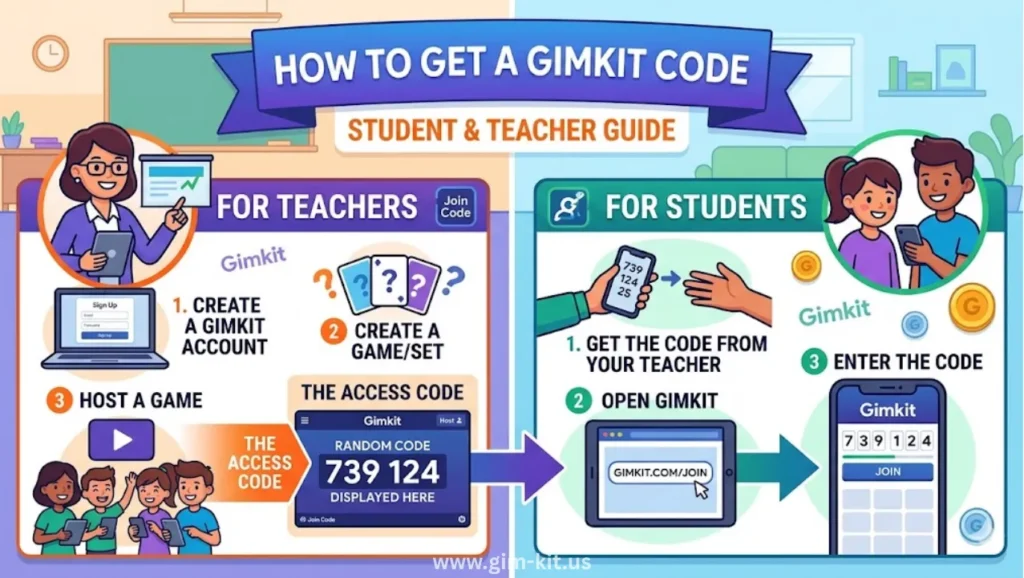
To join a Gimkit Live game, students go to the Gimkit join page in a browser, enter the game code the teacher displays, then type their name or nickname to enter the lobby. The teacher then starts the game and questions appear on student devices during play.help.
How do I join Gimkit?
Teachers create an account on the Gimkit website using email or a school login, then create or import a question set (“kit”) and choose a game mode. Students do not need full accounts for live play; they typically just join via the game code.help.
Can students join Gimkit games late?
In many live modes, students can join after a game has started by entering the code, but they will have less time to earn points compared with classmates who started on time. Teachers can always choose to restart or run multiple shorter games to give late students a fair chance.help.
Why did you start Gimkit?
Gimkit was originally created by a high school student who wanted a better, more game‑like review tool for his own classes and then expanded it into a full product. The platform has since grown into a widely used classroom quiz game with both free and paid plans.
How do I play Gimkit Live?
Teachers select a kit, choose a live game mode, and project the lobby code. Once students join and the game starts, they answer questions on their devices, earning in‑game currency or power‑ups depending on the mode until the teacher ends the round.
What is better than Gimkit?
“Better” depends on your needs: Blooket is often rated the strongest free option because it offers unlimited students and all main game modes without charging. Quizizz and Kahoot! are usually preferred when you want strong homework modes, serious data, and broad device compatibility for US classrooms
Conclusion
Gimkit is still a powerful classroom game, but its limited free plan and focus on paid gameplay variety push many US teachers to explore alternatives in 2026. Tools like Blooket, Kahoot!, Quizizz, and TriviaMaker can deliver the same excitement with more generous free tiers, especially for typical American class sizes.
If your students are getting bored with the same platform, try introducing one new tool from this list in your next lesson and compare engagement and results. For teachers who want a truly free, game‑show style alternative, start with Blooket or TriviaMaker today and see how your students respond.